SanDisk Ultra Flair vs Kingston DataTraveler Exodia M: Which Should You Buy?
A USB 3.0 stick quoting 150MB/s with password software, against a sliding-cap USB 3.2 Gen 1 drive.
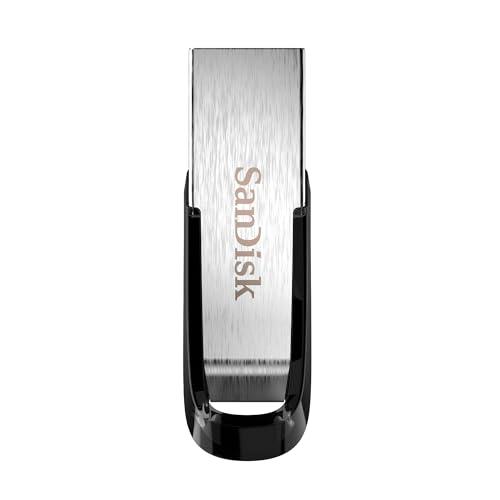 SanDisk
 128GB Ultra Flair USB 3.0 Flash Drive
 Kingston
 DataTraveler Exodia M USB 3.2 Gen 1
Side by side
| SanDisk 128GB Ultra Flair USB 3.0 | Kingston DataTraveler Exodia M USB 3.2 | |
|---|---|---|
| Price | See on Amazon → | See on Amazon → |
| Rating | ★★★★★ 4.6 | ★★★★☆ 4.3 |
| Review count | 195,516 | 27,752 |
| Brand | SanDisk | Kingston |
| Highlights |
|
|
Our verdict
Buy the SanDisk Ultra Flair if the published speed figure and the bundled SecureAccess password software matter to you. Buy the Kingston Exodia M if you prefer a sliding cap that can't get lost and a key-ring loop. The interface is the same class on both (USB 3.0 and USB 3.2 Gen 1 are the same 5 Gbit/s standard under different names), so don't expect a big gap on a USB-A port.
Which one is for you?
- Someone who wants a quoted 150MB/s read figure plus password protection and recovery software. Read our full look at the SanDisk 128GB Ultra Flair USB 3.0 →
- Someone who wants a protected connector, no loose cap and an easy key-ring attachment. Read our full look at the Kingston DataTraveler Exodia M USB 3.2 →
Interface and speed
The SanDisk Ultra Flair is sold as a USB 3.0 drive, and the listing quotes up to 150MB/s and says a full-length movie transfers in under 30 seconds. That is a best-case read figure, so real copying depends on the files, the host port and the capacity.
The Kingston DataTraveler Exodia M is a USB 3.2 Gen 1 Type-A drive. The retailer page we checked says it supports quick transfers but gives no read or write figures, and we couldn't find a Kingston figure we could verify, so we won't compare speeds. Wikipedia's USB hardware article describes USB 3.0 as the 5 Gbit/s standard later renamed USB 3.2 Gen 1, so the two sit in the same family.
Design and protection
Kingston's design point is the sliding (moving) cap: the retailer page says it protects the connector and your data when not in use, with a loop for key rings. The listing adds that cap colours vary by capacity. It measures about 5.9 by 2.1 by 0.8 cm and weighs 10 g, per the same page.
The SanDisk listing doesn't describe a cap design at all, and we haven't verified its build material, so we won't claim one.
Software, warranty and extras
SanDisk's listing includes SecureAccess software for file encryption and password protection, and a year's subscription to RescuePRO for recovering lost or corrupted files. That is the clearest extra either drive offers.
Kingston's retailer page lists a five-year warranty with free technical support. We couldn't verify SanDisk's warranty terms from a page we could open, so check them before you buy.
Who should skip both
If you need USB-C directly, large files at SSD speeds, or hardware encryption, neither fits. A portable SSD will move big files much faster than either flash drive.
Questions people ask
Which is faster, SanDisk Ultra Flair or Kingston Exodia M?
SanDisk quotes up to 150MB/s read for the Ultra Flair. We couldn't verify a figure for the Kingston, so there's no like-for-like comparison.
Does the SanDisk Ultra Flair have password protection?
The listing says it includes SecureAccess software for file encryption and password protection.
Is the Kingston Exodia M USB 3.0?
It's listed as USB 3.2 Gen 1, the current name for USB 3.0 speeds. See the Exodia M page for the exact part.
How long is the Kingston warranty?
A retailer page lists five years with free technical support.
Will either work in a USB-C port?
Both are USB-A drives, so you would need a USB-A to USB-C adapter on a USB-C-only device.
Sources
- SanDisk, SanDisk Ultra Flair USB 3.0 Flash Drive product page
- Maxitec, Kingston DataTraveler Exodia M
- Wikipedia, USB hardware
Prices are pulled live from Amazon.
Prices move around, so always confirm on Amazon before deciding. Browse more options in Data Storage or see the whole Computers & Accessories department. New to the category? Start with our buying guide.