Canon PG-545 vs PG-545XL Ink: Which Should You Buy?
Same cartridge shape and same printers: standard 8 ml or high-yield 15 ml.
 Canon
Canon Ink - PG-545 Genuine Black Printer Ink
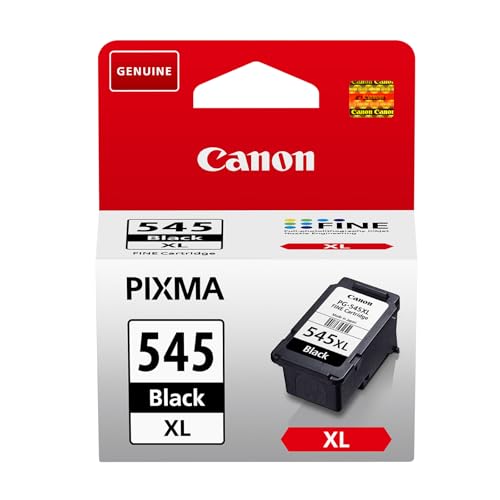 Canon
Canon Ink - PG-545XL High Yield Genuine Black
Side by side
| Canon Ink - PG-545 Genuine Black | Canon Ink - PG-545XL High Yield | |
|---|---|---|
| Price | See on Amazon → | See on Amazon → |
| Rating | ★★★★★ 4.6 | ★★★★★ 4.7 |
| Review count | 47,112 | 29,504 |
| Brand | Canon | Canon |
| Highlights |
|
|
Our verdict
If you print regularly, buy the PG-545XL: retailer and Canon-sourced listings give it about 400 pages against about 180 for the standard PG-545, so you change cartridges far less often. Buy the standard PG-545 only if you print rarely, since ink that sits unused can dry out and a small cartridge wastes less. Both are genuine Canon black cartridges listed for the same PIXMA models, so there's no compatibility reason to pick one over the other.
Which one is for you?
- Light users printing the odd letter or form who'd rather not tie up money in a big cartridge. Read our full look at the Canon Ink - PG-545 Genuine Black →
- Households and home offices printing documents weekly who want fewer cartridge swaps. Read our full look at the Canon Ink - PG-545XL High Yield →
Capacity and page yield
The standard PG-545 holds 8 ml of pigment black ink and is listed at 180 A4 pages (Cisilion). The PG-545XL holds 15 ml and Canon's listing quotes up to 400 A4 pages, which Multitronic repeats on an ISO/IEC 24711 basis. That's about 1.9 times the ink for roughly 2.2 times the quoted pages, so the XL is the more efficient choice per page.
Yields are quoted under test conditions with standard sample pages. Real pages vary, and some UK resellers quote lower figures for the XL (around 300), so treat 400 as a best case.
Compatibility
The retailer listings we opened give the same printer list for both cartridges: PIXMA iP2850, MG2450, MG2550, MG2950, MG3050, MX495, TS205, TS305, TS3150, TS3350, TS3450, TR4550 and TR4650 series, among others. Check your exact model number against the full list before buying, because retailers' lists differ in length.
Both are black-only cartridges for text and documents. Colour printing needs a separate colour cartridge.
Which makes sense for you
Inkjet ink can dry in the nozzles if a printer stands unused for months. If you print a few pages a month, the XL's extra ink may never get used. Printing several pages a week tips the balance firmly to the XL.
Practical buying tips
Buy by the exact model number printed on the cartridge, and check it matches your printer's manual. The PG-545 and PG-545XL both fit the PIXMA models listed, so you can switch between them from one refill to the next without any settings change.
If your printer is one of the small home inkjets on the compatibility list, the cartridge is the main running cost. Working out cost per page from the shelf price, divided by the quoted yield, is the quickest way to compare, and the XL's higher yield usually comes out ahead.
Genuine Canon listings mention a free recycling scheme for empty cartridges, so keep the packaging or check Canon's recycling page when you swap.
Questions people ask
What is the difference between PG-545 and PG-545XL?
The XL is the high-yield version: 15 ml and up to 400 A4 pages, against 8 ml and about 180 pages for the standard cartridge.
Can I use PG-545XL instead of PG-545?
Yes. The listings we opened give the same compatible PIXMA printers for both, so the XL is a straight swap.
Is PG-545XL worth it?
If you print regularly, yes: it gives roughly 2.2 times the quoted pages for about 1.9 times the ink, and fewer replacements.
How many pages does a PG-545 print?
About 180 A4 pages according to a UK-facing retailer listing, based on standard test conditions.
Does PG-545XL include colour ink?
No, both are black pigment cartridges. Colour is a separate cartridge.
Sources
- Cisilion, Canon PG-545 black cartridge listing
- Multitronic, Canon PG-545XL ink cartridge listing
Prices are pulled live from Amazon.
Prices move around, so always confirm on Amazon before deciding. Browse more options in Printers & Accessories or see the whole Computers & Accessories department. New to the category? Start with our buying guide.